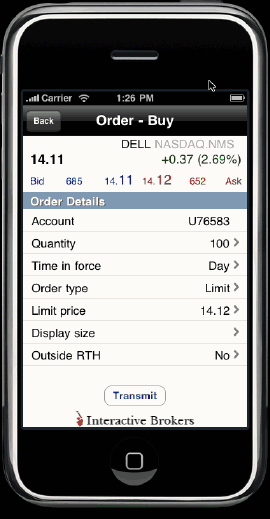
Create orders using the Order Ticket.
From the Main Menu, touch Order Ticket.
Enter the underlying symbol in the entry field and select the contract.
From the Contract Details page, touch Buy or Sell.
To modify order parameters, touch the parameter and use the spinner to define the value.
Note: Use the Display size parameter to create an iceberg order or hidden order.
Touch Transmit to send the order.